

Planning a Website: How to Organize Yourself and What Steps to Take
Summary (TL;DR)
In this post we'll look at the importance of website planning, how it affects user experience and business success.
Well-done planning goes beyond visual aspects, taking into account essential steps such as defining clear objectives, creating user personas, analyzing competitors and developing a sitemap.
These practices help to create a functional and attractive website, aligning the needs of the public with the company's goals, while avoiding rework and optimizing resources.
We will also explore how to implement effective strategies, such as creating an SEO plan, mapping the user journey and organizing the content of the main pages.
We will address the importance of a strong visual identity and a well-defined budget to ensure a more efficient process. Strategic planning is the basis for a website that converts visitors into customers and strengthens your business's digital presence.
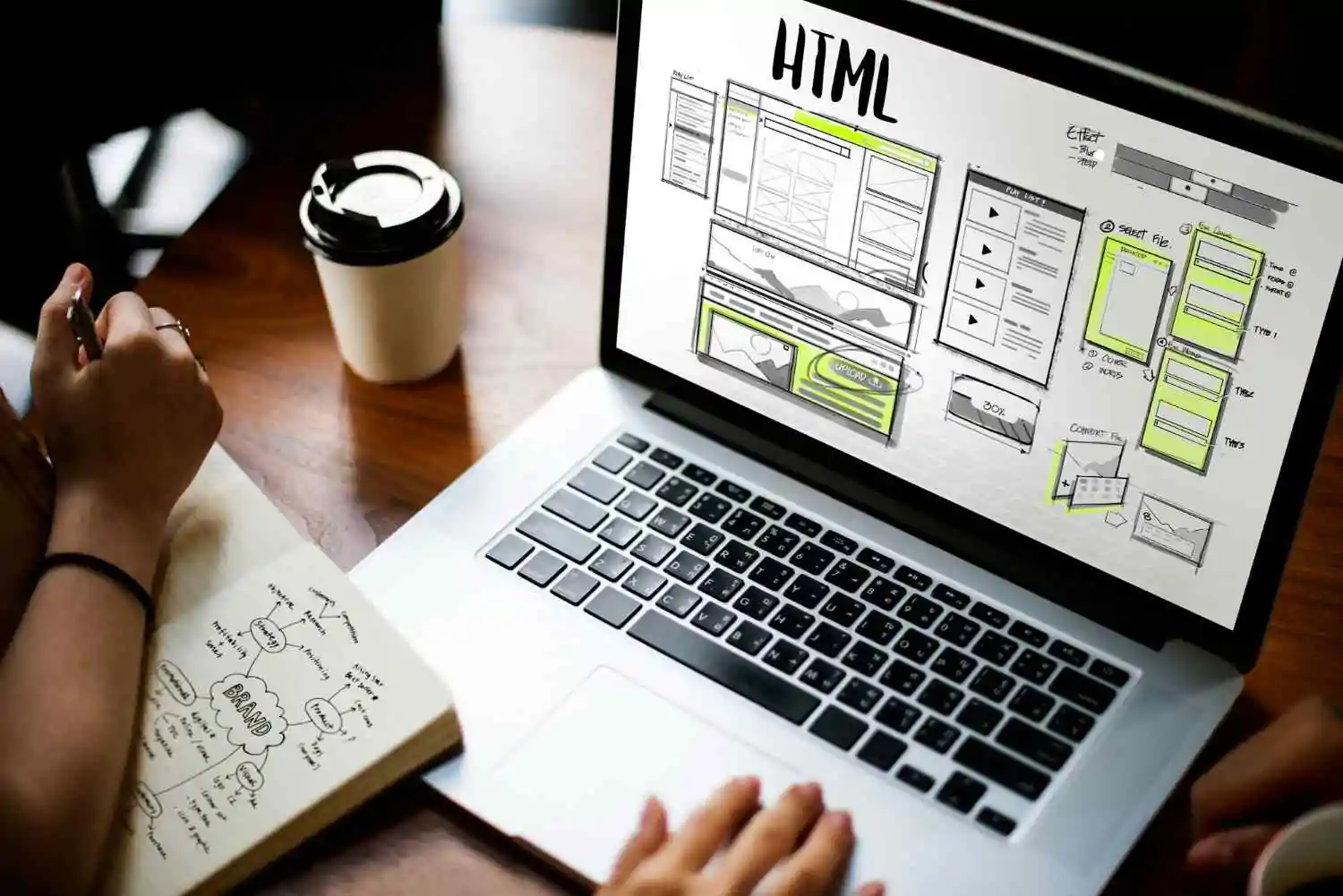
O planning a website is the basis for creating a positive and functional experience for visitors. According to the book Design for Performance of Lara Callender Hogan, 88% of users do not return to a site after a bad experience.
This data highlights the importance of investing time and resources in developing a page that is attractive, easy to navigate and efficient. Think of your website as a 24-hour salesperson: if it's slow, confusing or doesn't offer value, even the best products can lose relevance.
Planning a website goes far beyond choosing colors or design. It means mapping out the user journey, understanding the needs of the target audience and aligning your brand's objectives with the right functionalities.
With a clear and structured guide, you can create a page that converts visitors into customers and strengthens your business's digital presence. Check out the most important stages in planning a website!
What is website planning?
Planning a website is the process of building a roadmap which guides you through the stages of creating a website, from conception to final development.
This is a strategic moment, when objectives, identified the wishes of the target audience and the project priorities.
With this, it is possible to create a well-structured guide for the design and operation of the site, ensuring that the final product meets both user expectations and the company's objectives.
In addition to avoiding costs and rework, good planning is essential to improve the organization of the site and facilitate the execution of each phase. It also helps to align the teams involved, optimizing time and resources.
Without this process, the creating a website runs the risk of resulting in a confusing page, lacking clarity of purpose and, above all, incapable of generating a satisfactory experience.
If you want a functional, visually appealing website with web accessibility for all audiences, planning is the key to success.
How to plan a website
When planning a website, it's essential to have a well-structured roadmap. This makes everything clearer and easier. Not only does this make it easier to create a website, but it can also help the paid traffic manager or organic after the site is finished. We'll help you organize this roadmap with 10 essential steps to ensure that your website is functional, attractive and aligned with the needs of your target audience and your brand:
1. Document your Objectives and KPIs
The first step in planning an effective website is to detail your objectives. Why are you creating or redesigning the site?
The goals can vary, from attracting more visitors to increasing sales, but it is essential that they are well defined and measurable. Use SMART criteria to create goals that are:
- Specific: be clear about what you want to achieve;
- Measurable: define clear indicators to monitor progress;
- Attainable: set realistic targets, in line with the resources available;
- Relevant: make sure that the goals are aligned with the purpose of the site;
- Timely: set deadlines for each objective.
Here are some examples of the goals a website can have:
- Increase traffic 30% in the next six months;
- Reduce the rejection rate to less than 40%;
- Generate 50 qualified leads per month;
- Increase the conversion rate by 20% by the end of the year.
After setting the goals, define the KPIs (Key Performance Indicators) that will allow you to monitor progress. Here are some examples of KPIs:
- Conversion rate;
- Time spent on the page;
- Traffic source (organic or paid);
- Number of pages visited per session.
With clear objectives and well-defined metrics, you'll be prepared to create successful strategies, ensuring that website planning is guided by concrete results.
2. Define your User Personas
Understanding who your site's users are is essential in order to meet their needs and expectations. This starts with the creation of user personas, which are fictitious but detailed representations of the different profiles of your target audience.
When creating a persona, take into account information such as:
- Demographic data: age, gender, marital status, level of education;
- Professional position: position, sector and experience;
- Behavior: preferences, interests and challenges faced on a daily basis;
- Expectations: what they expect when they visit your site.
For example, imagine that you are developing a institutional website for a children's school. An example of a persona would be:
Ana, 38, mother of two. Ana is a financial analyst and is looking for a quality nursery school for her children. She values safety, a clear teaching methodology and a welcoming environment. Her expectations include objective information about the education offered, testimonials from other parents and facilities for scheduling visits. Ana faces the challenge of balancing work with choosing the best school, and needs a website with straightforward, easy-to-navigate information.
Creating personas allows you to see the site through the eyes of your users and better understand their journey. This helps you align site structure, The content and design are tailored to the real needs of the audience, guaranteeing a result that offers value and a satisfying experience.
3. Analyze your direct competitors
Before starting to develop your website, it is essential to understand what your competitors are doing. List two to five of your main competitors and analyze not only the appearance of the site, but also the strategy behind it.
Look at items such as the site map, key messages, content strategy and most prominent pages. Use tools to examine titles, meta descriptions and even tags image. A Ahrefs and Ubersuggest are very efficient at this.
This analysis makes it possible to identify competitors' strengths and weaknesses. For example, they may have an attractive design, but confusing navigation, or messages that connect well with the audience, but lack the website optimization.
Some interesting questions:
- What makes their site stand out?
- What differentials do they offer in relation to my business?
Analyze what can be adapted for your brand and what strategies you should avoid. This stage isn't just about competing, it's about understanding the landscape and creating an advantage that meets both your audience's needs and your site's objectives.
4. Find Inspiring Websites
As well as analyzing competitors, seek inspiration on sites you admire, regardless of the sector. A guide to create website should include references that help shape your vision.
Evaluate websites known for their innovative design, effective conversion funnels and exceptional user experiences. Here are some cool inspirations to broaden your horizons:
This is the MFIT Personal website, created by UpSites. Notice how all the elements provide the information the user needs in a simple, modern design.
Another example is our own website, which has some great ideas for you to include in your project. Just look at how the structure, elements and design guide the user through all the stages of the sales funnel:
When looking for references, look beyond the visual. Observe how the elements work to lead the user to a conversion, such as a registration or purchase. Evaluate typography, colors, images and messages, and reflect on how these components strengthen (or weaken) the brand.
For example, a website may have an attractive aesthetic, but its site structure can make navigation difficult.
This analysis is essential to understand what works and what can be adapted to your brand's identity.
5. Create an SEO Plan
One SEO plan well-structured is fundamental for your site's success, whether new or in redesign. Start with a keyword research using tools such as SEMrush or Google Keyword Planner to identify relevant terms that your target audience uses.
Choose keywords and ensure that they reflect the users' search intentions.
This research not only helps to define content, but also directly influences the planning and development of a website. For example, by knowing what your audience is looking for, you can better organize the categories and pages in your sitemap.
For existing sites, don't forget to plan redirects to avoid losing traffic or jeopardizing your current search engine ranking.
A good SEO plan should include elements such as metadata:
- Internal links
- Strategy backlinks;
- Continuous monitoring of metrics.
Optimizing a site for SEO it's not just about appearing at the top of searches, it's also about offering relevant answers and a satisfactory experience for the user.
6. Create a Sitemap
A creation of a sitemap is an essential stage in defining the structure of the site. It organizes how the pages will be presented, ensuring that navigation is logical and intuitive. This facilitates both the development of the site and user experience, This helps to avoid problems such as hidden pages or disorganization in the hierarchy.
A sitemap is also essential for designers and developers, as it offers a clear vision of the project's needs. It should reflect the organization of the site that best meets the target audience and business objectives.
For example, a nursery school could use a sitemap like this:
Home
About Us
- History
- Mission, Vision and Values
- Team
Courses
- Early childhood education
- Elementary School
- High School
Registration
- School calendar
- Registration
Services
- Library
- School transportation
Blog
- News & Events
- Tips for parents and students
Contact
- Contact form
- Location
This model can be adapted to different types of website, But the main objective is to ensure clarity and accessibility for users and search engines.
7. Map User Journeys
Mapping the user journey is essential for creating a fluid and efficient browsing experience. This journey represents the path that visitors follow on the site, from arriving to making a conversion, whether it's buying a product, filling in a form or downloading content.
In order to plan strategically, it is important to understand the needs and intentions the user at each stage, offering clear and intuitive ways for them to find the information they are looking for.
In this context, the Call-to-Actions (CTAs), which are calls to action, The links play a very important role. They guide visitors through different pages and stages of the site, helping them to access relevant content in a progressive way.
Each page must contain Strategic CTAs, These include “Learn More”, “Buy Now” or “Make an Appointment”, targeting users according to their interests and increasing the chances of conversion.
Also consider the visual and navigation elements that make it easier to move between pages. A well-structured menu, breadcrumbs and internal links help to build a logical and pleasant flow.
8. Plan the Content of the Main Pages
The success of a website starts with content planning for the main pages. Before even thinking about designs or functionalities, it is essential to outline the messages that will be conveyed in each part of the site.
The home page, for example, should immediately communicate the value your company offers, highlighting how it can meet the needs and expectations of the target audience.
Each page should contain clear and relevant information, structured logically. It is important to consider the pains and desires of the target audience, presenting solutions that make their lives simpler and more satisfying.
In addition, CTAs should be planned to align with the stages of the conversion funnel. A button on the home page can direct the user to more details about your services, while a CTA on a product page can encourage purchase or direct contact.
9. Create a visual identity
Ooma strong visual identity is essential for a cohesive and impactful website. Start by creating a brand style guide, which will serve as the basis for all design decisions. This guide should include essential elements such as:
- Logos and variations: main versions, reduced and adapted for different platforms;
- Color palette: primary, secondary and complementary tones that reflect the essence of the brand;
- Typography: choice of fonts for titles, texts and additional elements;
- Iconography: customized or standardized icons that match the style of the site;
- Image processing: consistent filters, proportions and formats for photos and graphics.
It's also important to detail in the design brief what special elements you want to include on the site. For example, interactive modules, scrolling effects for a dynamic look or personalized forms to capture user information.
10. Set Your Budget
Determining the budget for website development is an essential step to avoid surprises during the process. The first thing to do is define the purpose of the site.
It will be a institutional website to present your company, a space to sell products or a more complex portal with specific integrations? The purpose defines the technical requirements and, consequently, the costs.
From there, assess whether you need a customized design or a ready-made template. Sites with personalized design tend to be more expensive, but offer flexibility and exclusivity. The ready-made templates, Such as those available on WordPress, they are more accessible and quicker to implement.
Make a detailed list of essential features and functionalities, such as integration with systems, member areas or blogs, to align cost expectations with your needs.
Finally, choose your CMS platform. Options such as WordPress e Joomla vary in terms of cost and functionality. Before deciding, research and contact agencies or developers to discuss your ideas.
Mistakes to Avoid When Planning a Website
Although Web development is an exciting process, some common mistakes can jeopardize the success of the project. Here are the main mistakes to avoid:
- Ignore user persona research;
- Not organizing the content of the pages;
- Complicated and unintuitive navigation;
- Lack of visible and clear CTAs;
- Not implementing good SEO practices.
That's why planning all the details of the site is essential if mistakes like this are to be avoided. A good team of specialists is very important to make the process easier!
Planning a website with a website agency
Working with a professional agency brings countless advantages, especially for those looking for a strategic and well-developed website. An agency can help with:
- Technical and creative experience: specialized professionals to turn your vision into reality;
- Personalized strategy: aligned with your business objectives and the needs of your target audience;
- Ongoing support: from design to site maintenance;
- Best practices: SEO implementation, design of responsive website and accessibility;
- Optimization of resources: saving time and avoiding common mistakes.
UpSites specializes in planning and developing customized websites, offering all the support you need to create a site that stands out and meets the demands of your market.
Final Thoughts on Website Planning
Planning a website requires steps that guarantee a functional, attractive and efficient result. From defining goals to content creation Every step is essential for success.
The main steps for planning a website are:
- Define objectives and KPIs
- Create user personas
- Analyze direct competitors
- Looking for inspiration
- Drawing up an SEO plan
- Developing a sitemap
- Planning user journeys
- Organize the content of the main pages
- Define a visual identity guide
- Establish a clear budget
With good planning, you can create a website that meets your audience's needs and generates concrete results for your business. business.
Request a quote for planning and developing your website today and start transforming your digital presence!
Frequently Asked Questions
How to plan a website?
To plan a website, it's essential to start by defining clear and measurable objectives, understanding the target audience through personas and mapping out user journeys. Then create a detailed roadmap with steps such as analyzing competitors, developing a sitemap and drawing up an SEO plan. Planning helps to avoid rework and ensures that the site meets the expectations of the public and the objectives of the business.
What are the steps to building a website?
The steps to build a website include:
- Define objectives and KPIs.
- Identify the target audience and create personas.
- Analyze direct competitors.
- Develop a sitemap to structure navigation.
- Create an SEO plan and organize the content of the main pages.
- Establish a consistent visual identity.
- Ensure that the design and functionalities are aligned with the needs of the public and the brand.
How to organize the structure of a website?
Organizing the structure of a website begins with the creation of a sitemap, which defines how the pages will be organized in a logical and intuitive way. It is important to prioritize easy navigation, with clear menus, breadcrumbs and strategic CTAs. The hierarchy of the pages should reflect the objectives of the site and the needs of the users, ensuring that information is easily found.
How to generate a plan?
To generate an effective plan, document the main goals, such as increasing traffic or improving conversion. Identify the target audience, define KPIs and analyze competitors. Use tools such as sitemaps and personas to structure the information and align all the elements with a clear roadmap. Make sure the planning includes SEO strategies, content organization and design.

Lucas Pelisari
Lucas Pelisari has been an SEO and content specialist at UpSites for over 6 years, working on the creation and optimization of digital strategies focused on lead generation and organic growth.With experience in website development projects, on-page SEO and link building, he works directly on structuring content and pages aimed at positioning on Google and acquiring qualified traffic.Throughout his career, he has worked on projects for companies such as Kommo, Aldanth, Physical Care, In4, Design.com, Adaptive, Clipto and YeSim, as well as several other clients served by UpSites.He works on projects in different niches, including technology, SaaS, services and local businesses, with a focus on performance, conversion and scalability.Her work is directly linked to lead growth and increased organic visibility, with projects that have seen consistent traffic gains after implementing SEO and content strategies.His content covers topics such as professional website creation, SEO, page structure, performance, user experience and digital growth strategies, always with a practical approach based on real market scenarios.Professional networks:LinkedIn: https://www.linkedin.com/in/lucas-widmar-pelisari-78920033/Instagram: https://instagram.com/lucaswidmar
See all posts



 Calculate Price Now

