

Static vs. Dynamic Website: Understand the Main Differences
Summary (TL;DR)
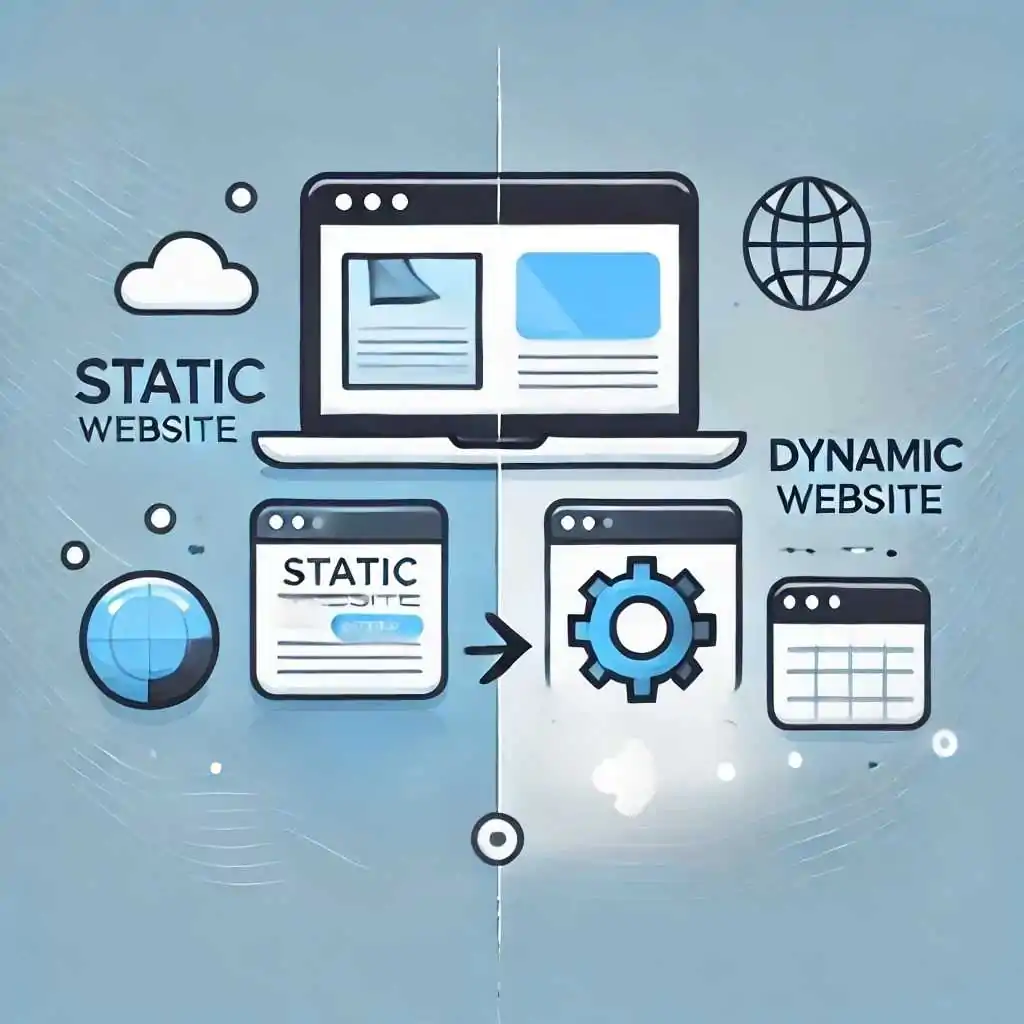
In this post, we'll talk about the differences between static and dynamic sites, highlighting their advantages and disadvantages. We'll cover how fixed content and personalization affect the user experience, as well as exploring issues such as speed, performance, ease of creation and security. Finally, we'll discuss how combining both can be an efficient solution, depending on the needs of your project.
Quick access
- The main differences between static and dynamic sites
- What is a static site?
- Advantages of a static site
- Disadvantages of a static site
- What is a dynamic website?
- Advantages of a dynamic website
- Disadvantages of a dynamic website
- A hybrid approach: combining static and dynamic pages
- Static sites or dynamic sites: what's best for small and medium-sized businesses?
- Static site or dynamic site: which is more efficient?
- Can a static site become dynamic? How?
- Conclusion - Static vs Dynamic Site
When considering the creating a website, Have you ever wondered which type of site should you choose? Today we bring you an explanation of static vs. dynamic sites.
Know that this is a common question among entrepreneurs, developers and anyone who wants to establish an online presence.
When launching a website, it is essential to evaluate various aspects, especially performance and loading speed, which are important differences between static and dynamic sites.
After all, almost 70% of consumers say that page speed affects their willingness to buy from an online retailer, according to a report published by Tooltester.
Given the importance of this topic, we're going to explore the differences between static and dynamic sites, highlighting the characteristics that make each one shine, their strengths and their limitations.
We'll also discuss how a combination of the two types could be the ideal solution for your specific needs. Stay with us and find out which approach best suits your project!
The main differences between static and dynamic sites
The main differences between static sites and dynamic sites are:
Fixed content versus personalized content
Static sites are made up of pages with fixed content that doesn't change for visitors.
This means that everyone who accesses the site sees the same information and the same visual elements.
Dynamic sites, on the other hand, adapt to the user, showing different content depending on the profile or actions of those who are visiting, such as browsing history, login, personal preferences or location.
A blog is an example of a dynamic website. This is because blog content is regularly updated with new articles and posts, and the display of these posts can vary depending on the date of publication, categories, or even reader interactions (such as comments).
For example, when you publish a new post, it automatically appears on the blog's homepage and is organized according to the site's settings. What's more, readers can interact with the content by leaving comments or sharing it on social networks, which makes the experience even more dynamic and personalized.
Speed x performance
Static sites are faster because they are simpler and require less from the server.
This is because they don't need to constantly search for information or access databases.
Dynamic sites, on the other hand, which change content in real time, require more processing, which can slow down loading, especially if the server is weak or there is a lot of traffic on the site.
Ease of creation vs. flexibility of management
Creating a website Static sites are easier and quicker, as they are made up of simple files such as HTML, CSS and sometimes JavaScript. However, updating these sites can be more complicated, as each change needs to be made manually in the code, which is not easy for those who don't know how to program.
On the other hand, dynamic sites are a little more complicated to set up at first, but they become much easier to update over time. This is because the changes are made in a CMS (Content Management System), a tool that allows you to change the content without having to mess with the code, and these changes appear automatically in various parts of the site.
What is a static site?
A static website is like a fixed billboard: once you've created it, it will always show the same thing to everyone.
If you want to change something, such as correcting a piece of information, you need to go back to the “poster”, make the change and put it back. The website works in the same way. Each page is a separate file, and when someone accesses it, the server just sends this ready-made file to the browser, showing the content exactly as it was created.
This makes static sites quicker and simpler to make, but if you need frequent updates, it can be a lot of work, as you have to change the code manually every time there are changes.
See also: Web accessibility: What it is, guidelines and examples in 2024
Advantages of a static site
The advantages of static sites include:
Charging speed
One of the biggest attractions of static sites is their speed!
As the content is pre-built and displayed to all visitors, there is no need for additional server processing.
Basically, this translates into fast loading times that leave your happy and engaged visitors.
Who doesn't like a website that loads in the blink of an eye?
Easy and fast creation
Creating a static site is like putting together a simple puzzle, so with a little knowledge of HTML and CSS, you can have a functional site in no time.
Without complications with complex programming or databases, creation is usually straightforward and efficient.
Security
It may not seem like it, but less is more when it comes to security on static sites.
With no server processing and no databases, there are fewer vulnerable points for hackers to exploit.
This way, your static site can be more secure against attacks.
Disadvantages of a static site
On the other hand, there are a few points to watch out for:
Difficulty climbing
As your site grows, managing a static site can become a challenge.
Adding new pages or updating content requires manual modifications to HTML files, which can be time-consuming and error-prone.
So, for growing companies, this approach can become a problem.
Laborious management
Without a content management system (CMS), you'll have to update and maintain your site manually. And you'll need technical knowledge to do so.
In other words, you'll have to spend hours adjusting HTML, CSS and JavaScript files, a very valuable time for you, I bet...
For sites with a lot of content or that need frequent updates, this can become a difficult and inefficient task.
Here's an example we did for a static site client using React technology:

Visit the website to find out more: https://www.abacuscapitaladvisors.com.
What is a dynamic website?
A dynamic website can adapt content based on the preferences and actions of each visitor, as if it were personalized for each person.
For example, in an online store, it can show you up-to-date prices, available product options and personalized recommendations, all based on your preferences and browsing history.
This makes the dynamic site more interactive and personalized, creating a unique experience for each user.
Consequently, the content you see may be different from what someone else will see, even if they are accessing the same page.
Advantages of a dynamic website
Some of the main advantages of having a dynamic website are:
Quick and easy updates
Using a database or a CMS (Content Management System), you can make changes centrally, then simply log in to your CMS, edit the content and publish.
This way, changes made in one place are reflected throughout the site, simplifying maintenance and keeping everything up to date without extra effort.
Personalized experience
Dynamic sites can offer a personalized and interactive experience for your visitors too!
With the use of cookies and location data, you can tailor content to users' individual preferences.
For example, a restaurant website can show local promotions based on the visitor's location, making browsing more relevant and attractive.
In addition, it is possible to have a responsive website which is suitable for different access devices.
Scalability for the future
During the Web development, However, you need to think about your company's objectives. Dynamic sites are designed to grow with your business and are much more versatile.
Connected to a CMS or database, they can handle large volumes of data and growing traffic without compromising performance.
With this, your site can expand and adapt as your needs grow.

Disadvantages of a dynamic website
As all is not gold, the two main disadvantages of dynamic sites are:
Development costs
Creating a dynamic website can require more resources and expertise, as the process of website design and development is more complex, requiring advanced programming and database configuration.
In other words, in financial terms, this could mean higher costs and the need to hire a specialized developer.
Security
With all the advanced functionality comes greater technical complexity, which can increase the risk of security vulnerabilities.
Unlike static sites, dynamic sites, because they have many components and interactions, need extra attention to protect against attacks and guarantee the security of user data.
Here's an example of a dynamic website for our client Viva A Cidade:
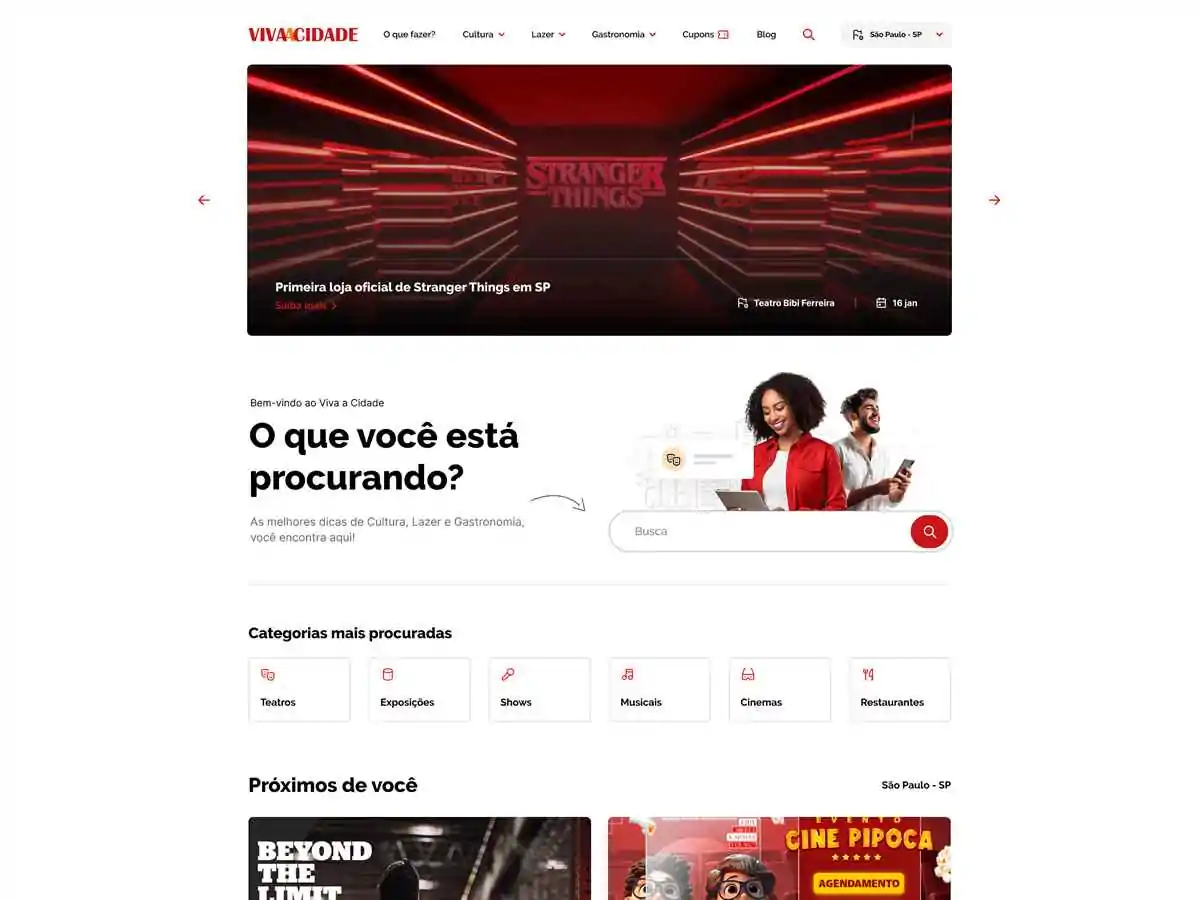
Check out the website here: https://vivaacidadenews.com.br/.
A hybrid approach: combining static and dynamic pages
Now you know the types of website and its features. If you're unsure whether to use a static or dynamic site, perhaps the ideal solution is a hybrid approach that combines the best of both worlds.
The idea behind this approach is to use static pages for content that doesn't change often and dynamic pages for elements that require constant updating or customization.
For example, you can keep the site structure, It is also possible to view institutional information as static pages, guaranteeing speed and simplicity.
By using static pages for fixed content, you guarantee fast loading times and less need for server resources.
On the other hand, you can use dynamic pages for interactive features such as a blog, login areas or user panels.
This combination not only improves the overall efficiency of the site, but also provides a richer user experience.
By incorporating dynamic pages, you can offer advanced and personalized functionalities, adapted to the specific needs of your users.
Static sites or dynamic sites: what's best for small and medium-sized businesses?
When it comes to choosing between static and dynamic sites for small and medium-sized businesses, the decision depends on a number of business-specific factors.
If your company doesn't require frequent updates and doesn't need complex functionalities, a static site may be the right choice.
It's perfect for presentation sites, portfolios or basic information pages.
But if you're planning to expand your operations, investing in website optimization (SEO) or other marketing strategies, If you want to add features such as e-commerce, a blog or create a members' area, a dynamic site is the best option.
Static site or dynamic site: which is more efficient?
When it comes to efficiency, the choice between a static and a dynamic site depends on how you define “efficiency” and what your project needs.
We'll stick to speed here, okay?
As we described earlier, static sites tend to be much faster, because these pages are already ready.
As the server simply delivers the HTML, CSS and image files to the browser, there is no need to process data or make database queries.
According to studies, a static site can load up to 10 times faster than a dynamic site, especially on slow connections.
According to a Portent research, The loading time of a page has a direct impact on the conversion rate of a website.
The study revealed that a site that loads in just 1 second can achieve a conversion rate up to three times higher compared to a site that takes 5 seconds to load!
Crazy, isn't it?
Can a static site become dynamic? How?
One of the most common ways to add dynamism to a static site is to use JavaScript to interact with external APIs.
With JavaScript, you can make requests to APIs and update page content in real time without having to reload the page.
For example, you can fetch data from an external database or service and display it on your static site, such as weather forecast information or social media feeds.
In addition, you can use backend such as Firebase, AWS Lambda, or Netlify Functions to add dynamic functionality to your static site.
These services allow you to run server-side code to process forms, authenticate users or perform other functions without the need for a traditional web server.
A third option would be to add interactive components to your static site using JavaScript libraries and frameworks, such as React or Vue.js.
Basically, these frameworks allow you to create dynamic and responsive user interfaces within a static site, making it more interactive without the need for a traditional web server.
Conclusion - Static vs Dynamic Site
As you've seen so far, both static and dynamic sites have their advantages and disadvantages, and the right choice depends on your specific needs, available resources and long-term objectives.
Assessing what's most important for your project - whether it's speed and simplicity or customization and advanced functionality - will help you make the most appropriate decision.
Now that you have a clear view of the options, you're one step closer to creating the ideal website for your business.
And if you're looking for a solution that combines flexibility, performance and simplicity, Up Sites is the perfect choice. You can create a professional website easily and efficiently, without the need for advanced coding skills.
Get a quote and find out which option is best for you. With UpSites, you'll find a practical and convenient solution that will transform your online presence.
Frequently Asked Questions
What is a static site?
A static site is made up of pages with fixed content that doesn't change, always displaying the same information to all visitors. These sites are quick and simple to create, but updates need to be made manually in the code.
What is a dynamic website?
A dynamic website adapts its content according to the user's preferences and actions, offering a more interactive and personalized experience. It is ideal for sites that need constant updates, such as blogs and online stores.
What are the main advantages of a static site?
Static sites load faster, are easier and quicker to create, and tend to be more secure as they don't require interactions with databases. However, they can be more difficult to manage as content grows.
When to choose a dynamic site?
A dynamic website is the ideal choice for companies that need customization, advanced functionalities such as e-commerce, or that are looking to offer an interactive experience to users, with ease of updating and scalability.

Lucas Pelisari
Lucas Pelisari has been an SEO and content specialist at UpSites for over 6 years, working on the creation and optimization of digital strategies focused on lead generation and organic growth.With experience in website development projects, on-page SEO and link building, he works directly on structuring content and pages aimed at positioning on Google and acquiring qualified traffic.Throughout his career, he has worked on projects for companies such as Kommo, Aldanth, Physical Care, In4, Design.com, Adaptive, Clipto and YeSim, as well as several other clients served by UpSites.He works on projects in different niches, including technology, SaaS, services and local businesses, with a focus on performance, conversion and scalability.Her work is directly linked to lead growth and increased organic visibility, with projects that have seen consistent traffic gains after implementing SEO and content strategies.His content covers topics such as professional website creation, SEO, page structure, performance, user experience and digital growth strategies, always with a practical approach based on real market scenarios.Professional networks:LinkedIn: https://www.linkedin.com/in/lucas-widmar-pelisari-78920033/Instagram: https://instagram.com/lucaswidmar
See all posts



 Calculate Price Now

