

Improving your website: 7 tips to make your website more modern in 2026
Summary (TL;DR)
The text highlights the importance of a well-structured and optimized website, comparing it to a house that needs to be organized in order to receive important visitors. Improving a website is more than just reimagining it, but also restructuring it in a user-friendly and accessible way.
Redesigning the site can significantly improve the user experience (UX), increasing conversions.
It is essential to focus on the user experience, using intuitive design, clear navigation, effective CTAs and relevant content. Improving site speed, making the site accessible and implementing good SEO practices are key to attracting and retaining visitors.
UpSites offers specialized solutions to help companies modernize their websites and optimize their online presence.

Do you need to redesign or improve your website? Then this post is for you. Think of the website as a home: would you receive a very important business visit with your house in a mess?
In fact, no matter how messy it is, it's easier to tidy it up than to buy another one. No matter how rich you are, right?
Here at UpSites, we've seen countless projects, from websites to web pages and blogs, completely stagnate, with little return online. It's very common for managers and entrepreneurs not to know where to start.
As someone who understands everything about website creation, I've put together this guide to help you “clean up the mess”.
Put each point into practice and then share your progress with us!
Why is redesigning the site important for the user experience?
When it comes to improving your website, it's essential to bear in mind that no matter what changes you make, the ultimate goal is always to make your site more user-friendly. user experience positive. As a result, this strategy will increase conversions.
For example, selling a product, subscribing to an idea, signing up to an email list, or any other desired action.
Every adjustment and optimization are carried out in order to make the site more effective in directing visitors to the desired conversion. O website success is measured by your ability to convert visitors into customers, followers or leads.
Your website is like your home on the Internet.
Imagine that your homepage is a mess: broken links, outdated pages and slow loading. It's like a dusty living room with broken furniture and a leak. You can't welcome anyone like that...
It's the same with your website. If it takes forever to load, with broken links and an unsightly design, the user experience will have been frustrating and they will inevitably leave your site.
And look, it's not just a matter of opinion.
According to a Forbes survey (2024): almost half of users don't wait more than 2 seconds for a website to load. Another 40% admitted that they would leave a site if it took more than 3 seconds to load.
The secret to improving your conversions is to focus on the user experience. You'll achieve your goals when you solve real problems for users and provide a useful, pleasant and frictionless experience on the site.
How can you improve your site's conversions?
The actions you take to improve your site and increase conversions are closely linked to improving the user experience (UX). A thorough understanding of the user's needs and objectives, identifying the main points of difficulty, is essential to maximize the user's advantages of having a website well-structured.
UX involves a strategic process to create effective solutions that not only meet but exceed visitors' expectations.
Here are the 7 essential attributes of good UX design:
- Useful
- Usable
- Findable
- Credible
- Accessible
- Desirable
- Valuable

How to improve UX and increase website conversions
Online competition is intensifying as digital innovations advance, and in the midst of this, user experience (UX) is becoming a differentiator to improve the site.
It's not just about attracting visitors, but converting them into satisfied customers.
Here are 4 ways to improve your UX and, consequently, increase your conversions:
Building trust
It is essential to include trust signals on your site, not just for the user, but for Google.
In simplistic terms, it works like this: Google's robots go through all the sites of the world and read the page's source code.
Based on this reading - among other factors - Google defines where sites will be placed when someone searches Google for a particular keyword.
Take a look at the 4 most important signs for building site reliability.
- Customer reviews and testimonials;
- Payment partner logos;
- Safety information;
- Return and refund policies.
- Page of Who we are and/or Author
These signals demonstrate professionalism and reliability, helping users to feel safe doing business with you.
Create engaging and intuitive visual hierarchies to enhance the site
When designing your website, it's tempting to invest in a creative design to impress users. However, familiar designs are generally more intuitive and therefore more usable.
Make sure your pages are the right length, that important call-to-action buttons (CTAs) are easy to find and that navigation is clear and straightforward.
You can use tools such as heat maps like Hotjar to understand how users interact with your page and adjust the design accordingly.
Site navigation: follow the user's path
Navigation on your site serves two important purposes:
- Making it easier for users to find what they are looking for
- Help your site rank on Google and other search engines
Put your visitors first and the search engines second. Always think with a people-first mentality.
Use descriptive navigation instead of generic terms like “What we do”.
Choose words that your visitors use and that they are searching for. By doing this, you reduce the number of clicks for the user and also help search engines to recognize the relevance of your site.
For example, if you offer financial consultancy services, when visiting your website your menu needs to describe the names of each of your services, for example: investment consultancy, financial planning, portfolio analysis.
This helps the user decide on their click action and thus improves the overall experience.
Avoid jargon or insider language. Many companies try to sound smart instead of connecting with visitors. Nobody knows what “MedeirosFeed” means. If it's your blog, simply call it “Blog”.
Call to action text: guide your visitors
Call to action buttons, or CTAs, are essential. You've already captured users' attention on the site, now it's time to direct them to the desired action. So be clear!
The buttons should suggest actions such as “Request a Quote”, “Download”, “Open an Account”, “Go to Checkout”. The button text must start with a verb. Otherwise, it won't be a real call to action, just a button with some text. “More Information”, for example, is not a CTA.
Use the first person voice (I, my, me) to allow users to tell the CTA what they want to do. For example: “Download my Guide”.
What impact will modernizing the site have on users?
According to statistical survey According to Forbes, 73% of online users report frustration when finding a mobile site that loads excessively slowly.
This data highlights the importance of having a responsive website and with fast charging, especially nowadays.
Users want a positive experience, but they also need to meet Google's criteria, which prioritizes mobile-friendly and responsive sites in search results.
If your site doesn't meet these requirements, it runs the risk of ranking lower in search results, which can result in a reduction in organic traffic and online visibility.
I'm sure you don't want that experience, and we at UpSites have the solutions you need to improve your site.
What do you need to do?
Just read on to find out all about it and, at the end, we can talk!
Improve website: quahat points of the sales funnel are important and how to follow them
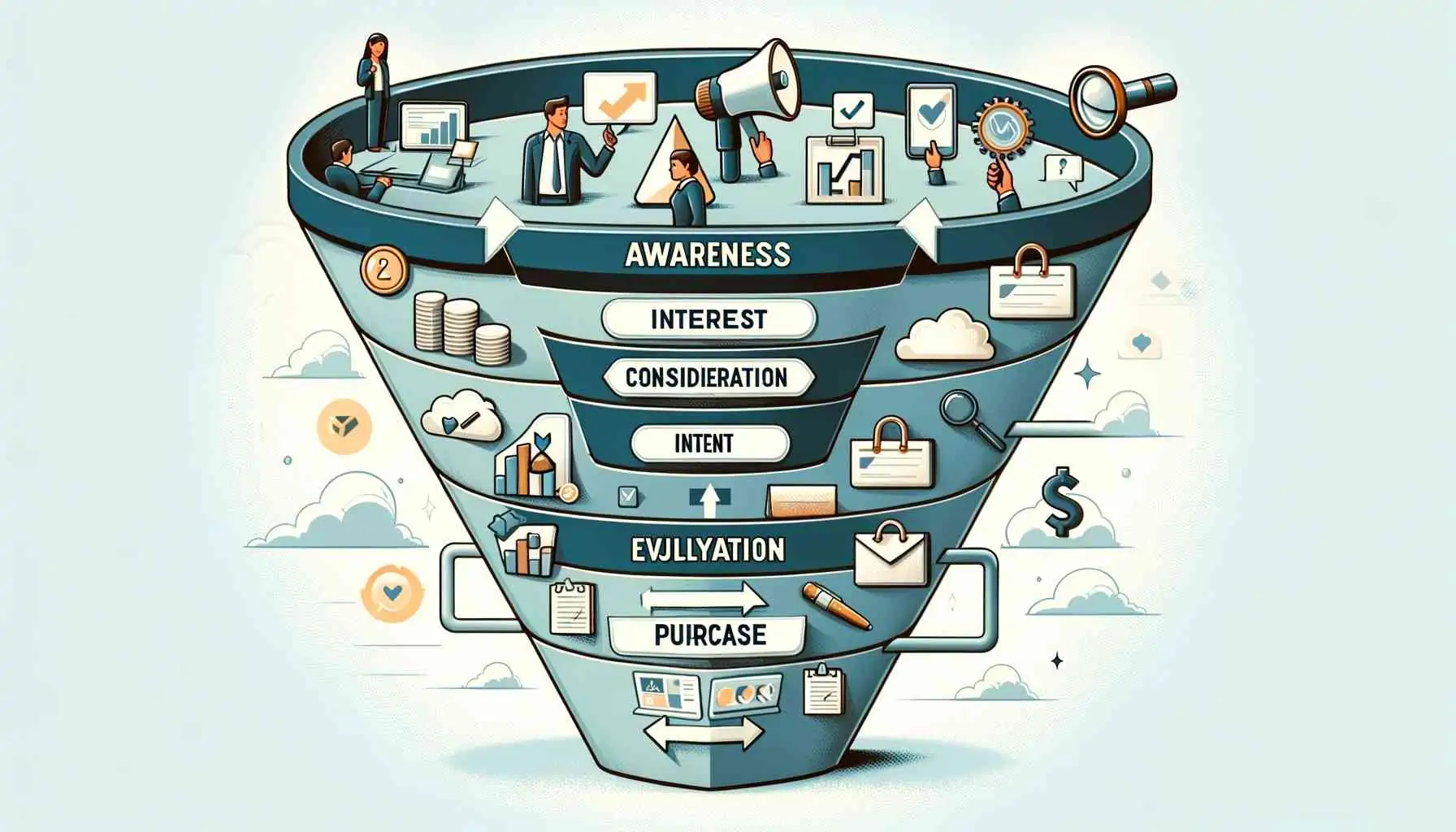
In this part of the guide, we highlight the TOFU (Top of the Funnel), MOFU (Middle of the Funnel) and BOFU (Bottom of the Funnel) stages.
This funnel is like a basic structure that any company can use, but the details can vary greatly depending on the type of customers you have.
By thoroughly understanding who your audience is and what their needs are, you can apply the right strategies for improve your website.
Here are the main points of the sales funnel and how a website can follow each one:
- Top of the Funnel (ToFu) - Raising AwarenessAt the top of the funnel (ToFu), we're talking about awareness. Here, your site must be a reliable source of educational information to attract visitors and introduce them to the problems your company solves. You should use SEO to optimize your content with relevant keywords to increase organic traffic;
- Middle of the Funnel (MoFu) - Consideration: your website now needs to present persuasive solutions to visitors' problems. Integrate call-to-actions (CTAs) that direct visitors to related content, such as ebooks, webinars or free demos;
- Bottom of the Funnel (BoFu) - DecisionIt's time to make a decision. Here, social proof is essential. Testimonials from satisfied customers, case studies and figures validating the effectiveness of your products or services are key to influencing the purchasing decision;
- After-sales: After-sales may not be present in some companies' funnels, but it's very important to keep one aligned with the team and able to take responsibility for customers;
- Retention Strategies: keep in touch with customers through newsletters, exclusive promotions or loyalty programs to encourage repeat purchases.
These are some questions that will help you reflect on the main strategies for improve website. By following these tips, you increase the chances of setting up a (competitive) Internet shop window for your company's success.
7 professional tips to improve your website in 2024
One of the ways to improve your site is to redesign it, a complete overhaul.
When redesigning a website, the most important thing is to have a team of experts and advanced preparation.
Similar to renovating a house, moving forward without considering objectives can result in disappointment.
Modernity demands an understanding of reality based on data, i.e. real insight, otherwise you could end up back at square one.
The alternative? Check out our 7 tips below that will help with the process of redesigning your website:
1. SEO strategy: get found on Google
SEO (Search Engine Optimization) is the set of techniques and practices aimed at improving the visibility of a website in the organic search results of search engines such as Google.
It's how you can make your site appear higher and more often when someone searches for keywords related to your business or content.

Here are some important SEO strategies that can help boost your site:
- Local SEO: Imagine you're the owner of a pizzeria in a busy part of town. When someone searches for “pizza near me” or “best pizzeria in [neighborhood name]”, the Local SEO ensures that your business appears at the top of the results;
- Title and description optimizationpage titles and descriptions are like business cards for your site in search results. By optimizing them with relevant keywords and attractive information, you increase the likelihood of users clicking on your link;
- Blog content productionCreating and sharing relevant and useful content through a blog attracts qualified traffic to your site and helps establish your authority and expertise in certain subjects;
- Creation of segmented landing pagesBy creating specific pages for niches or regions, you can better target your audience and increase the chances of conversion. For example, having pages dedicated to specific services, such as “creating website for doctors“, or to specific regions, such as “website creation in Rio de Janeiro”;
- Investment in backlinksBacklinks are links from other sites that point to yours, and are one of Google's main ranking factors. Quality investment through partnerships, guest posts and other methods, can help increase the authority of your domain and improve your positioning in search results.
2. Website redesign
Your website is like your 24/7 salesperson and has the potential to be your greatest asset and the center of your business. marketing strategies.
One redesign is basically a visual redesign of the site.
It's like giving your website a new look and functionality to make it more modern, attractive and effective in achieving results.
Here are some advanced strategies for a website redesign:
Consistent branding
Make sure that the new website design consistently reflects the brand's visual identity and message.
This includes the use of colors, typography, logo and design elements that reinforce the brand image.
Intuitive navigation
Simplify site navigation so that users can easily find what they are looking for.
This involves the logical organization of content, the creation of clear menus and the implementation of an intuitive navigation structure.
Quality content
Express Website: create content focus on producing relevant, useful, original and up-to-date information for your target audience.
As for the frequency of blog posts, be consistent, prioritizing quality over quantity, adapting to the preferences of your audience and always spying on competitors.
When planning keywords, research relevant terms, diversify your choices and integrate them naturally into your content. These practices will help boost the engagement and success of your blog.
These advanced strategies can help ensure that your website redesign not only attracts visitors, but also engages and converts them more effectively.
3. High-level user experience
UX, or user experience, encompasses all aspects of user interaction with a website, application or digital product, with the aim of providing a positive experience.
Two applicable strategies are: usability testing, which identifies points for improvement on the site through interaction with real users, and content personalization, which adapts the site's content to users' individual preferences.
When it comes to redesigning a website, design and user experience (UX) must come together harmoniously.
In addition to being visually appealing - design and layout nowadays - a website must also be easy to navigate and meet users' expectations.
4. Mobile First
O mobile first concept says that the site must first be created for mobile and only then adapted for other devices. In other words, the mobile user is the priority.
It's not hard to understand that this is a strategy that involves creating a digital experience for improve website.
But what many people don't know is that it's essential to start with the content.
The first step, therefore, is to define all the content before worrying about style, prioritizing the visual hierarchy to put the most important information in the spotlight.
After that, it's all about keeping the design simple and functional to meet the needs of mobile users.
Prioritize organization and make use of white spaces, as they give the page a breather and help the user understand the site and avoid visual/cognitive overload.
5. Give an overview of your process in simple steps
To help your visitors have a proper understanding of your company and feel safe, it is essential to describe the steps of your process simply and clearly.
For example, on the home page of our website, we have included a “How it works” section.
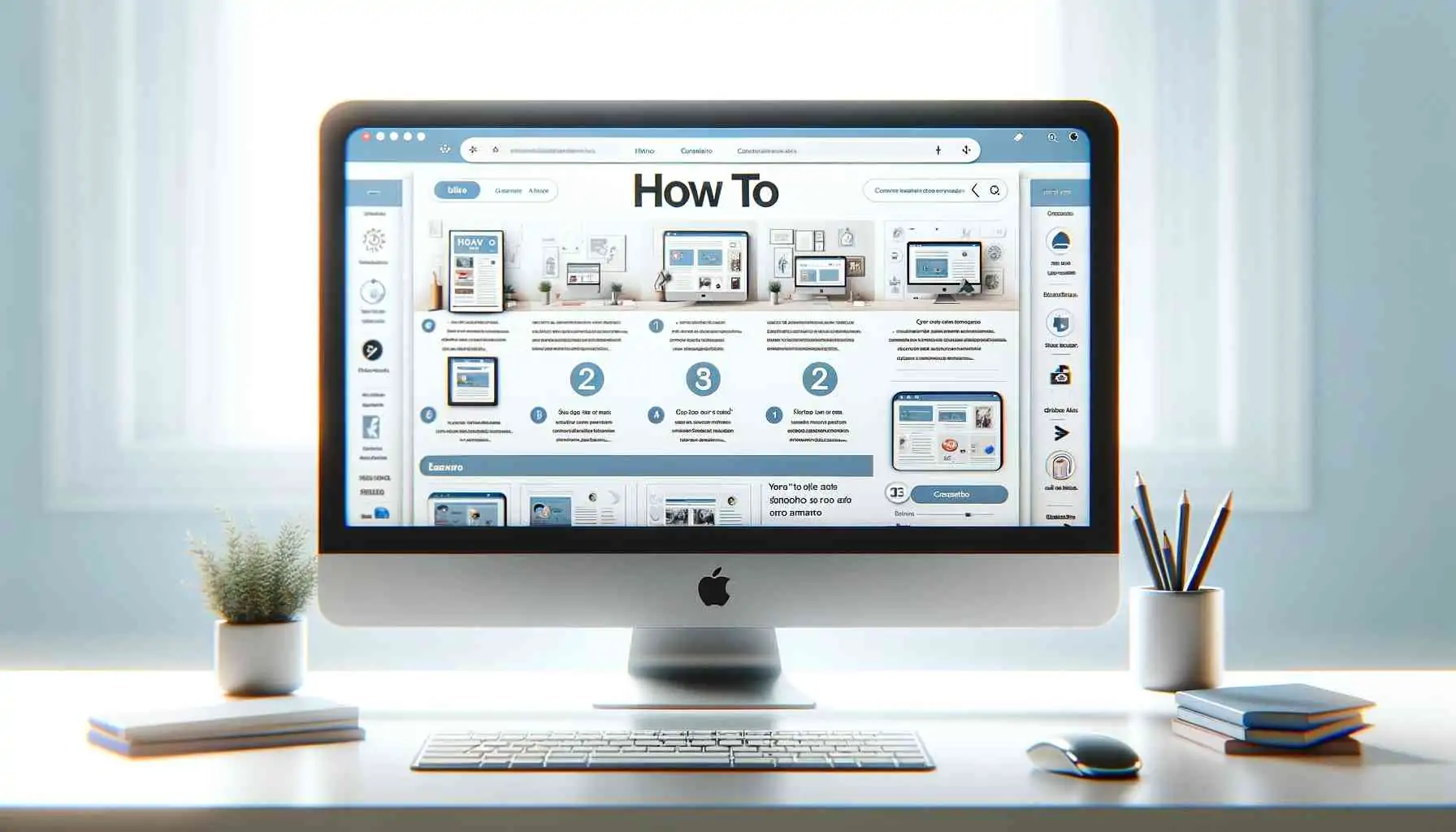
This is interesting because it summarizes the user's work process and saves time.
For this to work, write from your customer's perspective. Even if the actual process is more complex from your side, focus only on the parts that are relevant to your customers.
Remember that this is not the time to explain technical details to customers, but rather to make them feel confident about moving forward with you.
Without enough information, they will worry. With too much information, they may feel overwhelmed. The ideal is to provide just the right amount of information so that they feel safe and empowered to make the next decision.
6. Charging speed
If you already have a website, the first thing you need to know is whether your site is slow or fast. To do this, we recommend using tools such as Google PageSpeed, which will give your site a score and show any corrections.
Express Website: improve site speed, You can do this in several ways:
- Optimize Images: Compress large images to reduce their size without losing quality.
- Use a Quality Server: Choose a fast and reliable hosting provider.
- Minimize the Use of Plugins: Deactivate or remove unnecessary plugins and use only the essential ones.
- Enable Cache: Use caching plugins to store versions of your pages and load them more quickly.
- Reduce Unnecessary Code: Clean up your site's code, removing white space and unnecessary comments.
- Use a CDNSpread the site's files across servers around the world to improve loading speed.
- Activate compression: Activate gzip compression to reduce the size of the site's files.
- Update regularly: Keep the site's software, themes and plugins up to date to improve performance and security.
Implementing these practices can significantly improve the speed of your site, providing a better experience for visitors and increasing your chances of conversion.
7. Create a website accessible to all
When you create a visually inviting website, it is essential to consider the diversity of users, including those with visual impairments or other special needs.
Here are some ways to make your site more accessible to everyone:
Use Text Alternatives (Alt Text)
Add short, precise descriptions to your images, videos and other media. These descriptions, known as “alt text”, allow screen readers to describe visual elements to visually impaired users.
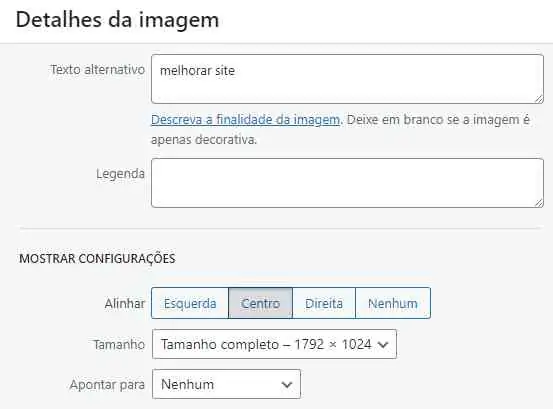
As well as helping users with disabilities, text alternatives also improve search engine optimization (SEO). Search engines use these descriptions to understand and index the content of the images, helping your site to rank better in search results.
Be descriptive and concise
Instead of simply describing the image, convey its meaning or context. For example, instead of “a photo of a woman smiling”, you could use “a young woman smiling while holding a book in a sunny park”. This gives a better understanding of the setting.
Include Descriptions in Videos
For videos, describe the visual content and auditory. Summarize what is being shown and describe important dialogues or sounds. This ensures that everyone can understand the content of the video.
By implementing these practices, you make your site more inclusive and improve its visibility in search engines. Not only does this help to create a better experience for all users, but it can also increase traffic from your website.
Ready to improve your website? Count on UpSites!
Have you ever found yourself lost among so many options and technical details when it comes to improving the site?
Follow these tips and offer a good user experience, as well as standing out in search results and, consequently, from the competition.
As specialists in website creation and SEO strategies, At UpSites, we understand that a well-designed website is just the beginning.
That's why we offer SEO consultancy e link building, to improve your site's positioning in search engines and increase your online visibility.
Request a Quote to create a professional website and have a quality digital presence! Click on the button below.
Frequently Asked Questions
Why is it important to redesign my website regularly?
Redesigning your website is crucial to ensuring a positive user experience, improving loading speed, updating the design and remaining competitive in the digital marketplace. A well-structured and optimized website can significantly increase conversions, turning visitors into customers and followers.
What are the main factors that influence the user experience (UX) on a website?
The main factors that influence UX include website loading speed, intuitive navigation, visual design, usability, accessibility and relevant content. Focusing on these aspects helps to create a pleasant and efficient experience, increasing the likelihood of conversion.
How can I improve the speed of my site?
To improve the speed of your site, you can optimize images, use a quality server, minimize the use of plugins, enable caching, reduce unnecessary code, use a CDN (Content Delivery Network) and activate gzip compression. Tools such as Google PageSpeed can help identify and correct specific problems.
What is SEO and why is it important for my site?
SEO (Search Engine Optimization) is a set of techniques and practices aimed at improving the visibility of your website in the organic search results of search engines such as Google. Implementing SEO strategies, such as optimizing keywords, creating relevant content and obtaining backlinks, increases the likelihood of your site appearing at the top of search results, attracting more qualified traffic and improving the chances of conversion.

Lucas Pelisari
Lucas Pelisari has been an SEO and content specialist at UpSites for over 6 years, working on the creation and optimization of digital strategies focused on lead generation and organic growth.With experience in website development projects, on-page SEO and link building, he works directly on structuring content and pages aimed at positioning on Google and acquiring qualified traffic.Throughout his career, he has worked on projects for companies such as Kommo, Aldanth, Physical Care, In4, Design.com, Adaptive, Clipto and YeSim, as well as several other clients served by UpSites.He works on projects in different niches, including technology, SaaS, services and local businesses, with a focus on performance, conversion and scalability.Her work is directly linked to lead growth and increased organic visibility, with projects that have seen consistent traffic gains after implementing SEO and content strategies.His content covers topics such as professional website creation, SEO, page structure, performance, user experience and digital growth strategies, always with a practical approach based on real market scenarios.Professional networks:LinkedIn: https://www.linkedin.com/in/lucas-widmar-pelisari-78920033/Instagram: https://instagram.com/lucaswidmar
See all posts


 Calculate Price Now

