

Corporate website: What is it and how to do it?
Summary (TL;DR)
A corporate or business website is essential for an institution's online presence, acting as the main exposure channel and first point of contact with the market.
In the past, creating a website was a costly and time-consuming task, but today's technology allows even ordinary people to build their own websites. However, for professional results, it is advisable to hire a specialized company.
This article explores the ideal structure of a corporate website, its functions, benefits, and provides a step-by-step guide to creating an efficient website. Readers will learn about the costs involved, how to choose a domain and hosting, optimize for SEO and promote the site on social networks.

The corporate website is the most important business card for an institution. In many cases, it surpasses even the company's physical address in terms of visits and popularity. Nowadays, the website is the main channel of exposure for a business, being the first point of contact with the market.
It is more than just a virtual shop window, as it shares information and content relevant to the site.
In the not too distant past, creating a website was practically a saga, costly and time-consuming, reserved mainly for companies with high investment.
However, thanks to technological innovation, nowadays even ordinary people can venture into building their own websites.
Of course, this freedom is interesting, but the truth is that the path is a bit thorny, time-consuming, and the result may not be very professional. That's why relying on a website creation company can guarantee a more efficient and professional result.
Currently, creating a corporate website is more affordable, especially when you entrust the task to someone who really understands the subject. So the best option is often to hire professionals.
According to a recent survey, 9 out of 10 Brazilians search the internet before buying something.
It's a simple equation: if you don't have a business website, you're missing out on sales opportunities.
In this article, we'll discuss the ideal structure of a business website and everything that goes into it. Read on!
What is a corporate website?
A corporate website is like a company's digital identity on the web. It contains information about what the company does, its contacts, services or product catalogs and contact forms. It is designed to be targeted at different audiences, such as business partners, clients and the press.
There are various types of website, the most common being the corporate website, e-commerce, portfolio website and portal website/corporate blog.
Functions of a corporate website
A corporate website acts as an external platform, offering a variety of functions and specific information. All the information it contains has clear purposes.
Attracting new customers
The website acts as an advertising platform aimed at attracting new customers. It provides comprehensive answers to the public's questions, effectively targeting those who are looking for specific information.
Attracting new partners
Maintaining a constant flow of new business partners is vital to the company's continued development. Investment offers and dealer programs can be found on the website.
Recruiting new employees
The creation of a corporate website is also aimed at recruiting talent. It provides information on career opportunities, working conditions, working hours and social benefits.

What is the purpose of a corporate website?
In the age of social media, a website is still a company's home on the Internet.
A corporate website is the first place potential customers go to find out more about your brand, your products and services.
The purpose of a corporate website is to present a company, disseminate information and content and show who the people behind it are. It contributes directly or indirectly to the legitimacy of the business. The main objective is to build reputation, support and promote the entire company, brand, educational institution or organization with its mission and values, services and/or products it offers.
Advantages of a corporate website
The main advantages of having a website business are:
Makes advertising more attractive
The first benefit of a website is that it makes advertising more attractive. A company with a website is open to connecting with more people.
The other benefit of the site is that it redirects users to a page, creating a way to connect with customers in a better way. You can use digital marketing services to connect your website with your potential buyers.
Cost-effectiveness
The next benefit of the website is that it is economical. Starting a business requires capital and promoting it on a larger scale requires more money. But if you invest in a quality website, you can make your presence more viral and relevant on a limited budget.
Many platforms support fast and cost-effective website development. Open source development has made it much easier to have a website that speaks for your business.
Corporate credibility
The third advantage of having a website is the credibility it generates for the business. Connecting with customers and building loyalty is a complicated task. But with a website, it's easier to create that connection.
After all, consumers are more likely to trust companies, products and services that have an active online presence.
Easy to set up
The next benefit of having a website is that it's easy to set up. In other words, having a website is no longer a complicated task.
There are many website builders, as well as web development service providers, that can be used to create pages at an affordable cost.
Easy access to new customers
The next reason to have a business website is that it makes it easier to reach new customers. With an impressive social media presence and offline marketing efforts, you can easily bring the potential customer to your website and explain to them about your services and products in a better way.
This is one of the best advantages of having a website. Finding a new customer is time-consuming and expensive, but with a website, it's easier to connect with current and potential customers.
Availability 7 days a week, 24 hours a day
The next benefit of having a website is that your company is always open to customers. Your physical store - if you have one - is bound by a time limit and you can't make it available to customers all the time.
However, a website remains active 24 hours a day, 7 days a week, 365 days and the user can find the information and details they need about a product, service or get in touch whenever they want.
To make this possible, you need a good hosting service. This is important because it is website hosting that will keep your pages online. In other words, good web hosting is necessary for the site to remain online.
Best marketing tool
The next benefit of having a website is that it can be used as a marketing tool. A website can be the source for finding information about the company, its policies, products, future programs and much more.
That said, update the site from time to time and keep users informed of the latest changes.
Step by step to create your business website
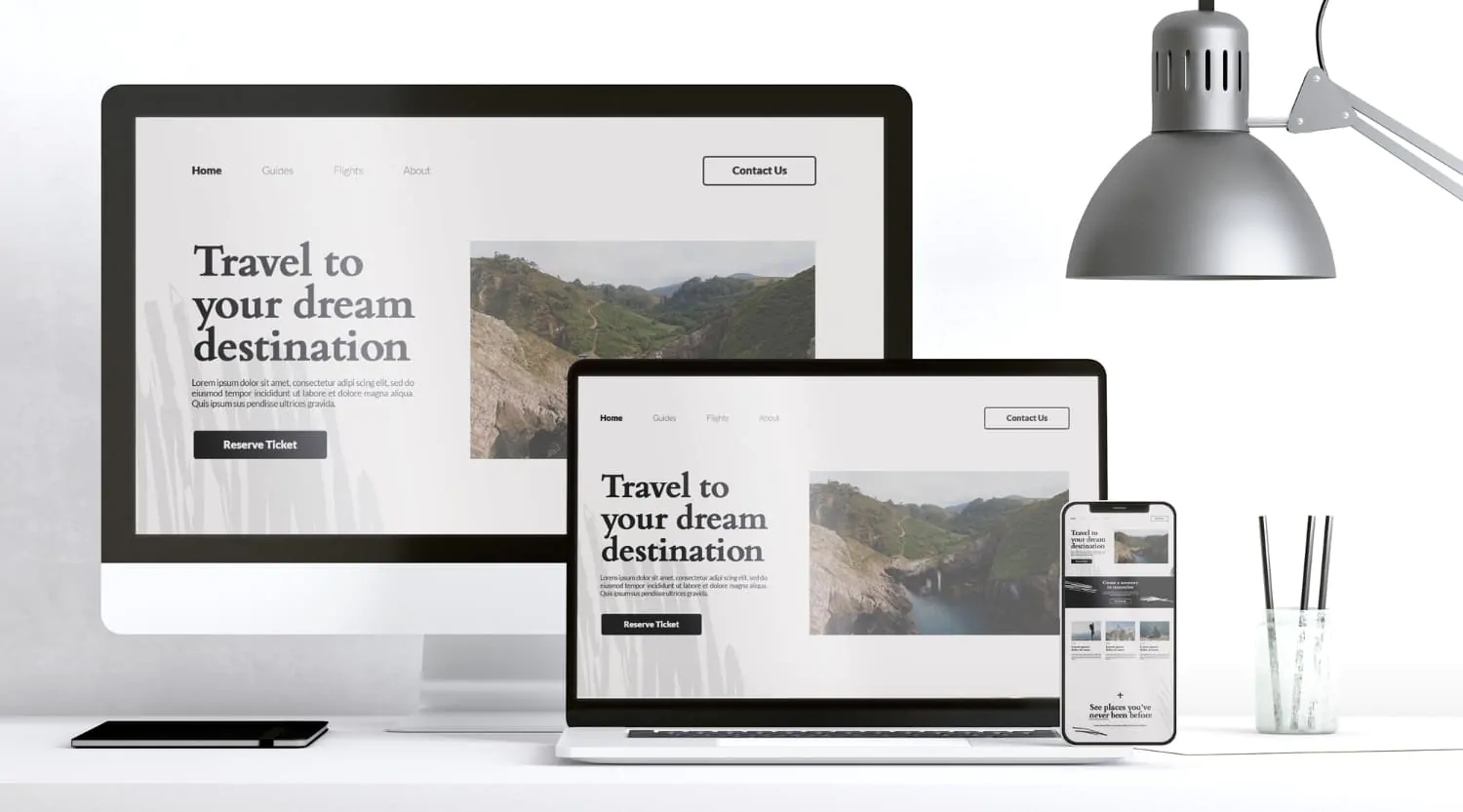
Here's a step-by-step guide that can help you create your business website and attract more customers.
1. Decide on the purpose of your site
Do you want to present collections of your artwork, sell your products or simply display your contact information? Whatever purpose you choose for your site, you must clearly demonstrate on your home page what it is trying to do.
Defining a clear objective will help visitors understand what your site is about. It will also build a solid foundation for a positive user experience (UX).
Why is that? Because the less time your visitors spend scrolling and clicking for answers, the better.
2. Choose a domain name
Choosing the right website address or domain name is almost as important as deciding on your company name. It's usually the first thing users see about your business, so make it count.
Ideally, your domain name should just be your company name. However, if you decide to use something different, just make sure that it accurately reflects the purpose of your business and offers a good first impression to users.
Below are some tips on how to choose a domain:
- Keep it shortshort and pleasant domains are easier to remember;
- Check the priceUse domain registrars to check the price of your domain;
- Use “.com.br”‘: is the most reputable and established domain name extension;
- Search for the domain name: use sites like Registro.br to find out if the domain name you want is being used or contains trademarks.
To register your domain, you'll need to visit a domain registrar, such as Registro.com itself, or website hosts, such as GoDaddy, Bluehost, among others.
3. Choose a website host
Web hosts provide a digital space for your website to be viewed on the internet. Without a host, your website will not run.
Some of the website hosting options are HostGator and Bluehost, but there are many other options available on the market.
Learn about the main types of web hosting services below.
Shared Hosting
Using this type of hosting means that you share the servers and web hosting resources with other sites. It is restrictive and offers little room for growth. For this reason, we do not recommend shared hosting.
VPS (Virtual Private Server) - Our recommendation
VPS hosting means that the server is “shared” with far fewer users than with shared hosting.
This freedom gives your site access to a greater allocation of resources - such as disk space, memory and bandwidth - that can help your site run more efficiently.
VPS is suitable for sites that want to grow quickly but don't yet require the resources (or expensive fees) that come with dedicated hosting.
Dedicated Hosting
Only suitable for high-performance sites, dedicated hosting costs more than the other options mentioned.
Having your own server, allowing your company to operate at full capacity online. The price is usually too high for small businesses, so we recommend that you look into dedicated hosting further down the line.
4. Create your pages

O website design for small businesses is all about keeping things simple.
We don't mean simple or boring, but simple in terms of helping the user navigate your site and carry out the desired actions as easily as possible. In other words, don't try to reinvent the wheel with a site that risks being confusing or chaotic.
In terms of pages, your company's website should include at least:
- Home page;
- Contact page;
- About us page.
You should also consider adding a blog (we'll discuss the benefits later) and a product page if you want to sell online. Below are a few tips for creating each type of page.
Your home page
As we mentioned earlier, your homepage should clearly explain how your company works and what your site is there to do. In terms of design, less is more. Using a minimalist design and lots of white space will help the user get from A to Z without unnecessary clicks.
For example, if you're creating a website for your coffee bean delivery subscription service, consider adding a concise description of your service. Also, include attractive call-to-action (CTA) buttons, such as “Sign up” or “Request a Quote”, for example.
70% of small business websites don't have a CTA button on their homepage, which means they could be missing out on a lot of sales or sign-ups. Our advice? Be part of the 30% who are savvy and who are using CTA buttons.
What's more, website visitors love videos. In fact, studies show that users spend 88% more time on pages with videos.
It's very important that your homepage impresses visitors. Otherwise, you'll probably see your bounce rate rise and your profits fall. If you don't have the skills to create a homepage with everything you want, consider hiring an expert to create one that visitors will love.
Your contact page
Again, keep it simple. The contact page is where you're likely to turn site visitors into customers. So you don't want to add any unnecessary obstacles (i.e. making your contact information hard to find) to conversion.
Your contact page should include:
- Phone;
- E-mail address;
- Physical address (ideally with an integrated map showing your location).
Your “About us” page”
Writing an “About Us” page will help differentiate your business website from the competition. This page helps users understand you and the other people behind the business, which may help them choose your company over another.
Your “About Us” page should describe:
- Who you are;
- What you do;
- How you do it;
- Where it all began.
Your blog
Whether you name your blog page “News”, “Press” or “Articles”, regularly adding high-quality content to your site adds value for both your company and visitors.
Here are the main reasons to consider creating a blog for your business:
- Directs traffic to your sitesharing high-quality content online gives users more opportunities to click directly through to your site.
- Great for SEOBlogging about relevant topics that users want to read about can help improve the position of your web pages in the SERPs (search engine results pages). In addition, tools such as rewriting text can help improve and reformulate your content to keep it fresh and engaging.
- Reinforce your social media marketing: sharing blog posts on social media is an effective way of generating buzz around your brand and increase traffic from the website.
5. Optimize for search engines
SEO involves the application of many different tactics to help improve the visibility of your site online. Below are the easiest ranking factors to implement, helping to improve your site's position in the SERPs and bring you more traffic:
- Use keywords in your content and URLpopular words or terms that users are searching for related to your sector. Use tools such as Semrush to find these words and use them sparingly in your content and in your URLs (web page addresses) and meta titles and descriptions - the snippets of content, shown in the SERPs, that describe your web pages.
- Get an SSL certificateGoogle ranks secure sites above unsecured sites - most hosting providers offer SSL certificates free of charge.
- Create pages compatible with mobile devicesThis is when the page is reformatted to display clearly on mobile devices - web designers can do this easily for you.
- Use internal linksKeep users on your site and reading your content through links to your different web pages throughout the site.
- Compress your images: use free tools such as TinyPNG to help improve the loading speed of your page (which is a Google ranking factor) by keeping your images as small as possible.
- “Reduce” your code: remove any code that is not completely necessary to improve your loading speeds.
Don't have the coding skills? Don't worry, you're not alone. You can always ask a web design company to reduce the code for you.
Does SEO seem a step too far for your busy schedule? Remember, you can always find a professional to handle everything for you. After all, successful SEO tactics can help companies grow.
6. Install analysis tools

We've shown you how to create a commercial website. Now it's time to explain how you can measure your site's performance. This will help inform your decisions when making updates or changes to your pages.
There are various tools that help analyze traffic and overall website performance, such as Google Analytics and Search Console.
These tools allow you to visualize things like:
- Number of views on each page of your site;
- Average time users spend on your site;
- Daily, weekly and monthly visitor numbers;
- Broken links on your site that need to be fixed;
- The keywords that led users to the pages of your site;
- Bounce rate - when users return to the search engine after viewing just one page on your site.
7. Test and publish
Before you share your business website with the online world, you need to make sure that it runs smoothly. A malfunctioning or crashed site can be disastrous for your brand image, so it's vital that you run several tests.
First, check that the site loads quickly in all the main browsers, including Chrome, Firefox, Safari and so on. During these checks, make sure that your images and videos load and that your content is formatted correctly.
If something looks wrong, make the necessary adjustments and return your company's website to its original form before publishing.
8. Promote your site
Things would be very easy if you could publish your site, sit back and watch the traffic on your site. In reality, you need to start marketing your site to attract clicks and money.
You've already learned how to promote your site through SEO using keywords, but there are many effective ways to bolster your marketing efforts, including posting on social media and using PPC (pay per click) advertising.
Posting on social networks
More than half the planet's population uses social media. That's why posting about your new site on these media can help bring you a lot of traffic.
For all companies, we recommend that you have an account with:
Along with your non-promotional posts, you should always update your social media followers about any changes to the site or new blog posts when they occur (with links to your site, of course). You should also include links to your social media channels on your website.
Use PPC advertising
A type of search engine marketing (SEM), PPC involves paying Google Ads or Bing Ads every time a user clicks on your link. You bid on certain keywords or phrases so that your site appears when users search for those terms.
The more you pay, the higher up in the SERPs your links will appear. So if a user searches for “spanish teacher in sp”, for example, your site for Spanish lessons in São Paulo will appear higher than the competition - if you bid higher for that specific search term.
You may pay little per click, but it can cost a little more depending on the popularity of the keywords you choose, for example when many other companies also want to bid on those words.
You can also use Google or Bing Ads to ensure that your links are only shown to certain users. This is called demographic targeting, in which your web pages only appear to specific users based on metrics such as location, age and gender.
9. Analysis and testing
Once you've published, you'll need to maintain your site to ensure long-term success. Do you remember the analysis tools we discussed in Step 6?
You should check Google Analytics and Search Console at least once a month to see how your site is performing and identify where or how you can make improvements.
We also recommend installing Optimizely to run A/B tests. This is when you divert half of your site's visitors to a “test” page or element and half to the original page.
You can see which version of your site gets the most positive reaction by judging certain metrics, such as clicks, conversions and time spent on the page.
Next steps
This guide shows you how to create corporate websites, from deciding on the purpose of the site to the analysis and testing phase.
We provide all the information and tips you need to create a business website that stands out online. But like many business owners, you may not have the time, energy or skills to create your website from scratch.
If that's the case, you can always hire a web design specialist to handle the technical work for you and create a professional website to make your business stand out on the internet. But how much does a website developed by a website creation company cost? This is an investment that can vary, and it's important to consider the benefits of a well-designed website.
Keep in mind that you need to create a website that not only represents your company, but also attracts visitors to the page. That way, you'll have a better chance of getting more customers.
Frequently Asked Questions
What is a corporate website?
A corporate website is a company's digital identity on the web. It provides information about the company's services, products, contacts and history, as well as acting as a point of contact for customers, business partners and the press. Common types include institutional sites, e-commerce, portfolios and corporate blogs.
What are the main functions of a corporate website?
The main functions of a corporate website include attracting new customers, maintaining a constant flow of new business partners, and recruiting new employees. It also serves as an advertising platform, providing comprehensive information about the company and its services.
What are the benefits of having a corporate website?
The benefits include making advertising more attractive, offering greater value for money, generating business credibility, facilitating access to new clients, being available 24/7, and serving as an effective marketing tool. A corporate website helps establish an active and reliable online presence.
What are the steps to creating a business website?
The steps include deciding the purpose of the site, choosing a domain name, selecting a website hosting, creating essential pages (such as the home page, contact page and about us), optimizing for search engines (SEO), installing analysis tools, testing and publishing the site, and promoting the site on social networks and with PPC (pay per click) advertising.

Lucas Pelisari
Lucas Pelisari has been an SEO and content specialist at UpSites for over 6 years, working on the creation and optimization of digital strategies focused on lead generation and organic growth.With experience in website development projects, on-page SEO and link building, he works directly on structuring content and pages aimed at positioning on Google and acquiring qualified traffic.Throughout his career, he has worked on projects for companies such as Kommo, Aldanth, Physical Care, In4, Design.com, Adaptive, Clipto and YeSim, as well as several other clients served by UpSites.He works on projects in different niches, including technology, SaaS, services and local businesses, with a focus on performance, conversion and scalability.Her work is directly linked to lead growth and increased organic visibility, with projects that have seen consistent traffic gains after implementing SEO and content strategies.His content covers topics such as professional website creation, SEO, page structure, performance, user experience and digital growth strategies, always with a practical approach based on real market scenarios.Professional networks:LinkedIn: https://www.linkedin.com/in/lucas-widmar-pelisari-78920033/Instagram: https://instagram.com/lucaswidmar
See all posts


 Calculate Price Now

